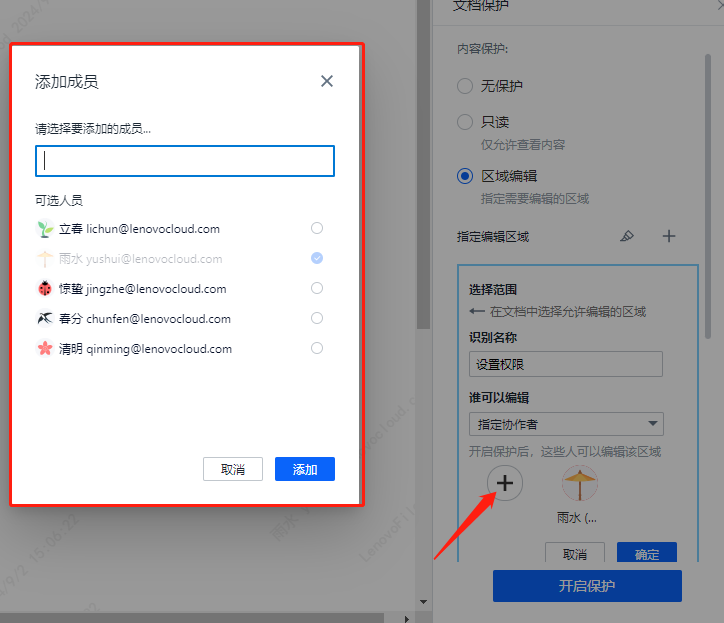
How to Implement Select User and Set Permissions
Filez Document Platform does not have user management functionality, so the source of users for selecting and setting permissions can only come from the business system.
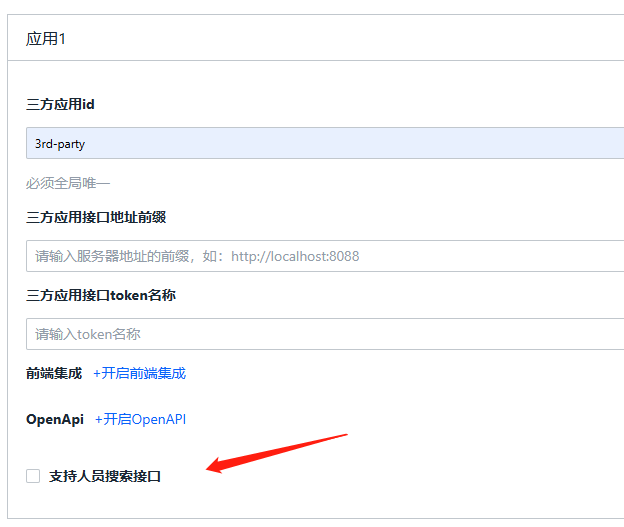
- You need to enable user search capability for the current application in the Filez Document Platform management console's application management.
- Implement the new user search callback API
| GET | /context/profiles? keyword={key}& docId={docId}& page_num={num}& page_limit={limit} | New API | Search among all users who have preview/edit permissions for the document specified by docId, search for users specified by keyword. Search results are returned in ascending order with pagination, with a maximum of page_limit users per page. page_num specifies which page of users to return. |
|---|
For specific information about the callback interface, see: Search User Profile API
Notes:
-
For business systems that have already implemented standard integration callback interfaces, this API is similar to other callback APIs.
-
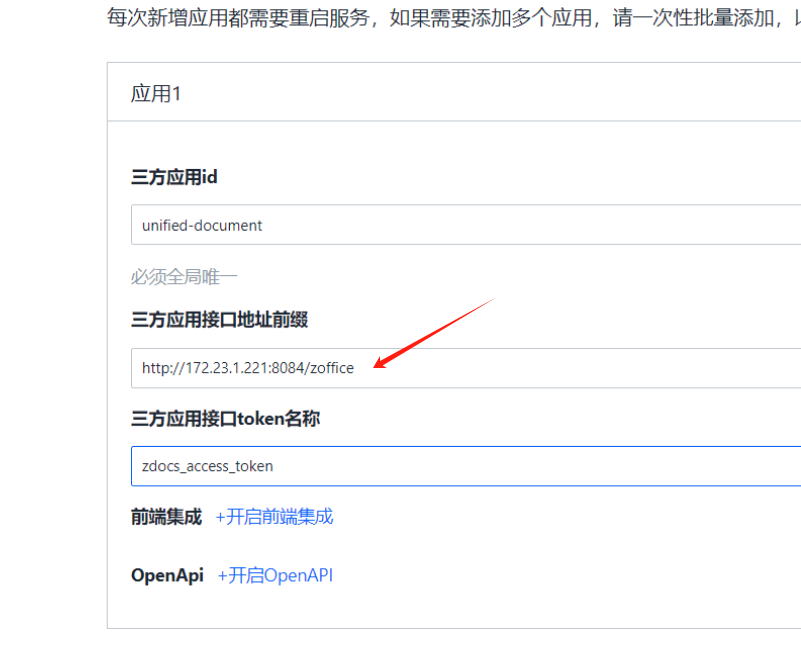
For business systems using frontend integration, you first need to determine the callback prefix, then implement the relevant callback interface.
-
There are multiple profiles callback APIs, and different semantics need to be determined based on different parameters.
-
The information returned by various profiles APIs for the same user needs to be consistent.